While I’m still working on my Kinesis Advantage 2 review, I thought I’d pad my blog out with some other review slop. This time around, we’ll be looking at the Kensignton Expert Trackball Mouse.
Overview
Now this mouse retails for about $110 on Kensington’s official site. If you aren’t aware by now, I try not to buy things new. In fact, I’d say I have somewhat of a love for repurposing technology that no one else is using. This trackball was no exception; I bought it off of eBay for $70 used. It came in fairly good condition, and looks about new just from a glance.
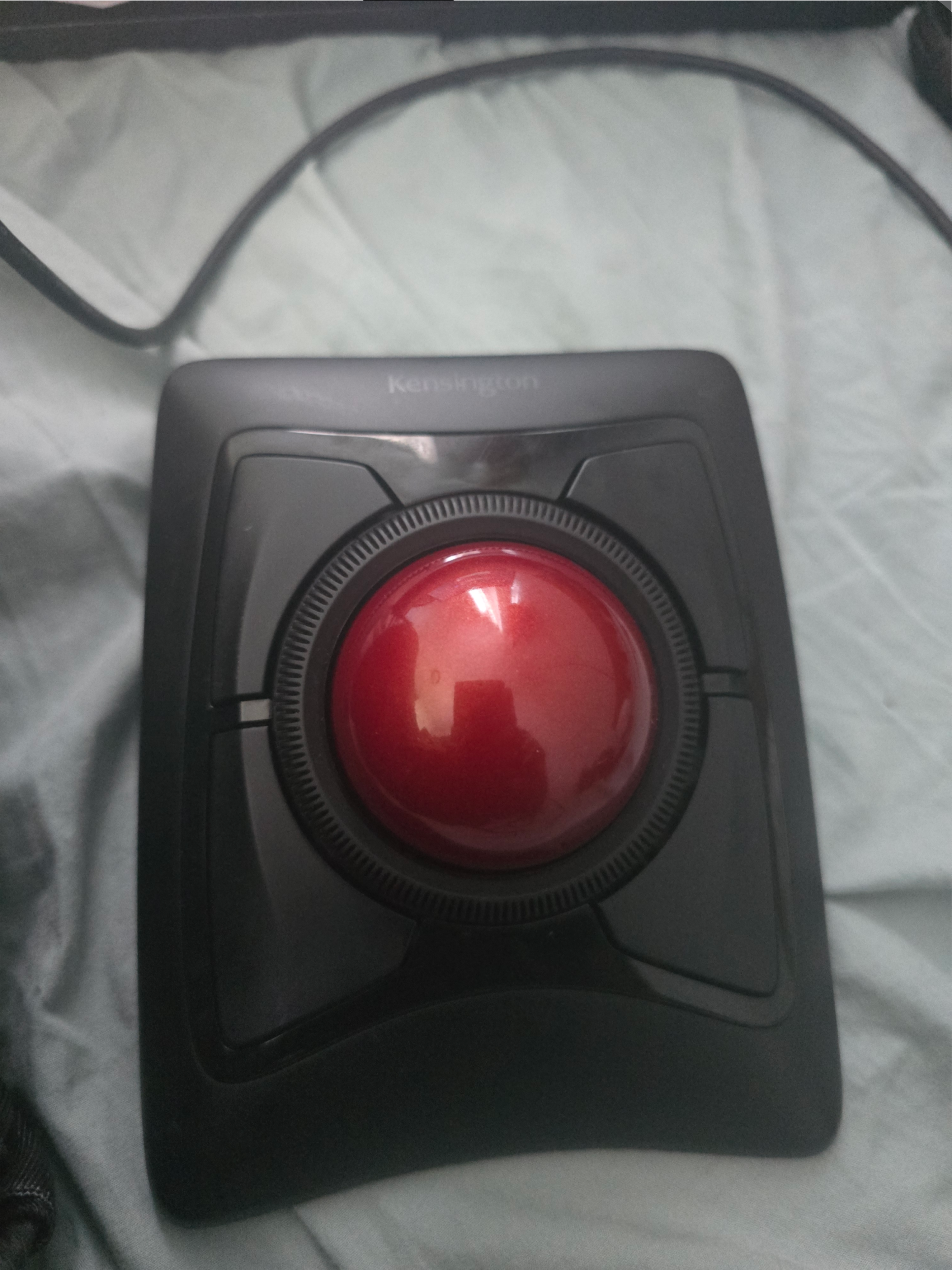
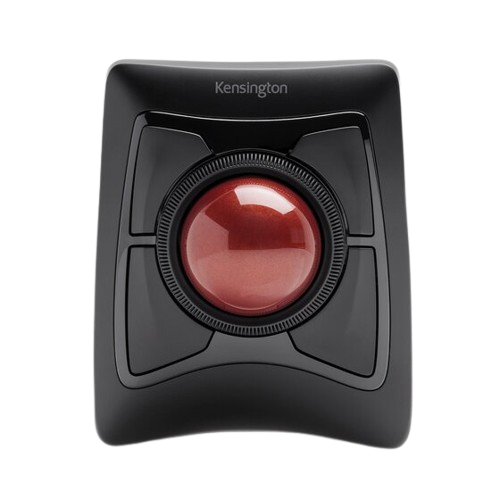
The device itself has a pretty solid build quality. It’s quite big and bulky, as opposed to my Logitech Ergo M575 thumb-ball mouse. It’s definitely meant for stationary use, as it’s size and built in angling and restricts its use to flat table surfaces. It sports four buttons, and a scroll ring that surrounds the ball itself. It comes with a USB-A dongle, but it supports full wireless usage using Bluetooth.
In terms of programmablity, the Expert Trackball does not have onboard memory. Instead, you are directed by Kensington to use their very own Kensington Konnect software, which is available on Windows and macOS. While I have not tested Linux, I presume you can use some software such as xmodmap to modify the mouse buttons. I was able to test functionality on ChromeOS using a spare Acer Chromebook I use for lighter tasks. Unsurprisingly, ChromeOS proves it’s amazing compatibilty with various peripherals and allows you to rebind the mouse buttons at the software level.
Why the F**** Did I Buy This?

Because I’m a masochist.
But in all seriousness, I bought it for the same reason I bought my Corne keyboard and the Logitech trackball: ergonomics. While using your thumb to navigate a trackball is arguably better than using a traditional mouse, you are still relying on your thumb primarily for navigation, which can cause RSI with consistent heavy usage. With a finger trackball, however, you can instead utilize your index and middle fingers to move the pointer ball while you dedicated all your fingers to the four thumb buttons around the ball, as well as use the scroll ring. You are thus able to reduce strain by spreading mouse operations to your entire hand rather than only the usual thumb, middle and index fingers.
What I Like
For my first finger trackball, I can’t compare it to other similar devices. But there are things I really appreciate coming from thumb trackball.
The ball is nice and big. Coming from the Ergo M575, I found the giant 55 millimeter ball to be a pleasant surprise. Switching from strictly thumb operation to using my strongest fingers does allow for more precise operation and less fatigue on any particular part of your hand due to the more splayed positioning.
There are enough buttons and the defaults make sense. Pretty self explanatory. You don’t necessarily NEED to reprogram the mouse on every device you use it with for basic tasks. The defaults are sufficient for most people, and only lacks when it comes to specialized mappings, like opening an application or executing a complex macro. I will say that the software allows you some nice customization. You’re even able to map pressing two buttons to a separate action!
You can use it with either hand. Despite exclusively using the Expert Trackball with my right hand, it’s designed to be ambidextrous in nature. This means even left-handed individuals can use the trackball just fine (albeit with some rebinding to mirror the right-handed defaults). This means that in case I get very bad repetitive strain injury (RSI) in my right hand, I can always switch to my less used left hand.
What I Don’t Like
Honestly this mouse is pretty solid for what it is. I don’t have too many complaints about it other than:
It has a steep learning curve during the first few days. This isn’t a super crazy pet peeve, as it’s expected when learning something new like this. I’m being a bit of an ass for including this, but it is still an important point if you’re the type of person to want to switch to a new peripheral cold turkey. You should expect to take about a week or so to get properly adjusted to a trackball mouse of this variety, but once you get used to it it becomes quite comfortable and ingrained enough in your muscle memory such that you can use it for productivity related tasks.
It isn’t as portable as a thumb trackball mouse. This is negligible, as the whole design of the mouse is for stationary use. If you want a more portable mouse with a similar form factor though, you may not have many options from what I’ve seen. You’re better off carrying a Logitech thumb trackball (if you don’t have thumb RSI).
It doesn’t have onboard memory. This can be a deal-breaker for some, which is completely understandable. After getting my first programmable keyboard almost a year ago, I prefer to be able to save my settings without having to use software for persistent mappings. I tend to rotate through different machines and keyboards/mice, so being able to have a consistent configuration across machines is very important to me. The defaults with the Expert Trackball are okay, however, which makes the experience between devices not nearly repulsive enough to prevent me from using it.
Should You Buy This?
I wouldn’t hesitate to buy this for the experience in ergonomics, yeah. Just to consoom though, I wouldn’t say use this thing unless you’ve already drank the trackball mouse Kool Aid. Also, try to look into what exactly you want in a mouse. The Expert Trackball may not be the best choice if you prefer a small profile and portability. I know brands like Elecom, Nulea and Ploopy have their own lines of trackball mice that may be better suited for this. One that I’ve begun eyeing is the Ploopy Adept, as it functions similarly to the Expert Trackball but with a smaller profile and sporting on-board memory for programming using QMK. In the future, I may pick one up for experimentation, and likely a portable alternative to the Expert. In case you’re deciding on either, I’d recommend watching this video by Tyler Renelle.
Conclusion
In the end, this mouse was definitely worth the money for me personally. I enjoy using it alongside my Kinesis Advantage 2 (which I will be publishing a review on at some point in the near future!). I would definitely recommend it if you’re looking for a decently built finger trackball with some programming capability. Once you accept you’ll be leaving it at your desk, I think any ergo enthusiast will find this a wonderful addition to their collection.
Lulu out!
 >> Home